Use an Android tablet as a Mac monitor
Apple's Sidecar only works with iPads. SpareScreen turns any Android tablet, including Samsung Galaxy Tab, Lenovo, Xiaomi and Amazon Fire tablets, into a wireless second screen for your Mac. The tablet just opens a link in Chrome.
Click to copy. Uses Homebrew, a free and widely trusted installer for Mac apps. 7 days free, then $7.99 once.
How to set it up
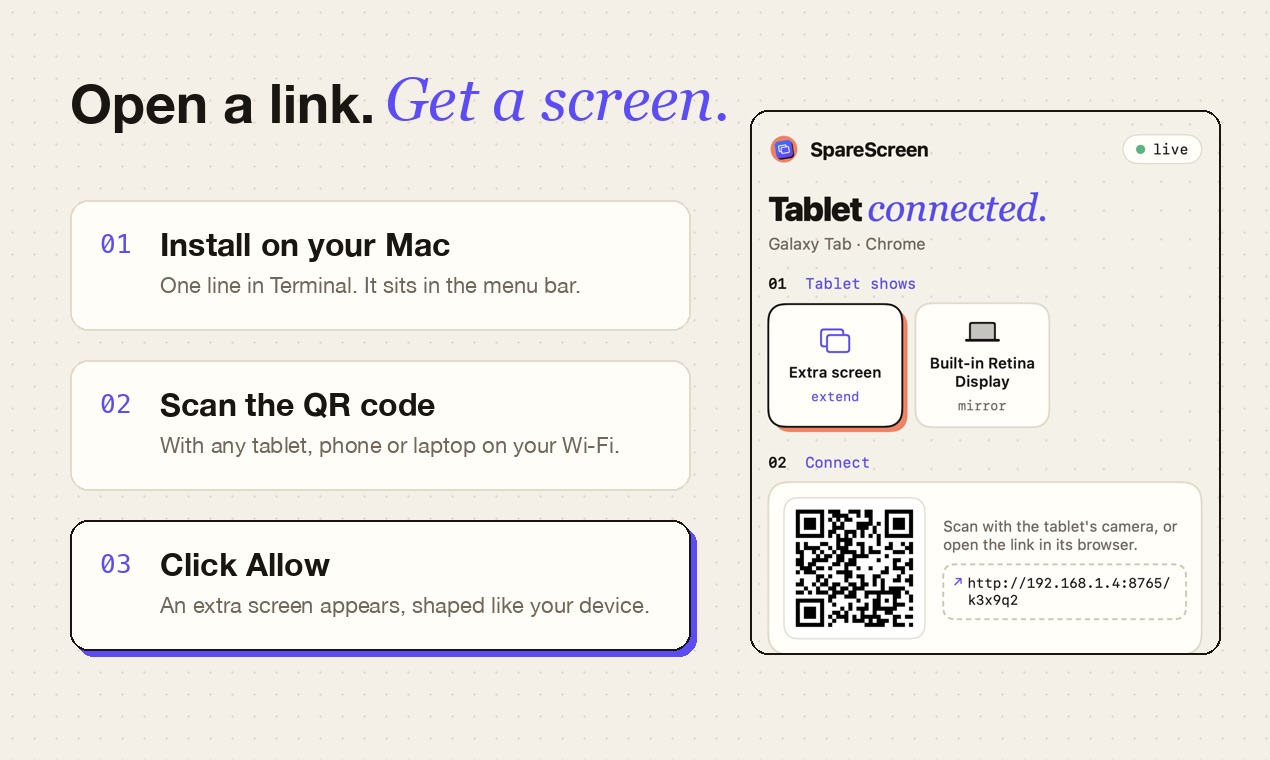
- Install SpareScreen on your Mac with the line above. It opens in the menu bar.
- Allow Screen Recording when macOS asks. That lets SpareScreen show the extra screen on your Android tablet.
- Open the link in Chrome. Click SpareScreen in the menu bar to see the link and its QR code, then open it on the Android tablet. Both need to be on the same Wi-Fi.
- Click Allow on the Mac. An extra screen appears, shaped exactly like your Android tablet. Drag windows onto it like any monitor.
Tap the tablet once to go full screen. SpareScreen keeps the tablet's screen awake while it's showing your Mac, and rotating the tablet reshapes the extra screen after a few seconds.
Which Android tablets work?
Any tablet with an up-to-date Chrome, Samsung Internet or Firefox. That includes Amazon Fire tablets using their Silk browser. Bigger, sharper tablets make the nicest second screens, but even an old budget tablet is great for chat, notes or music.
Good to know
- Turn off battery saver while it's a second screen; some tablets slow the browser down to save power.
- Samsung tablets: Samsung Internet works too, and its Second Screen feature doesn't need to be on.
- Touch control is optional. Turn it on in the SpareScreen menu (it asks for Accessibility permission) to tap, drag, right-click and scroll on the device. Typing still happens on the Mac.
- Everyday work feels instant. Video and fast scrolling are heavier and can stutter on slow Wi-Fi; 5 GHz Wi-Fi helps.
- Streaming services stay black. Netflix, Prime Video and Disney+ block screen capture in every app like this.
- Use Wi-Fi you trust. The picture travels over your local network, never through the internet.
Questions
Do I need to install an app on the Android tablet?
No. Open the link from SpareScreen's menu in Chrome or any modern browser. There's nothing to install from the Play Store.
Does it work with Amazon Fire tablets?
Yes, through the Silk browser, as long as the tablet is on the same Wi-Fi as your Mac.
What does SpareScreen cost?
It's free for 7 days, then $7.99 once. It's a one-time purchase with no subscription, and one key works on up to 3 Macs.
Which Macs does it work on?
Any Mac running macOS 13 Ventura or later, with Apple Silicon or Intel.
More guides
Last updated October 2026.